Tideless QEA Demo
Goal: walk a single governed change through the Tideless QEA change-request flow on a non-Tide realm: make the change, watch it get captured, then authorize it to threshold, which commits it.
This is the crypto-free governance mode: no Tide enclave, no signing, no approval popup. Approvals are recorded as the approving admin's username, and a commit is gated only by a threshold (number of approvals) plus an approver role. For what QEA is and why changes go through it, see the Admin Overview. For the Tide-provisioned (enclave) flow, see Setting Up and Using Tide QEA.
Assumptions
- A running TideCloak with the QEA extension deployed.
- A target realm that is not
master(the master realm is always exempt from capture). - QEA enabled on the realm with the
simpleattestor (the default), the threshold set to2, and an approver role (iga-approver) designated. - At least two distinct admins holding
iga-approverplusmanage-realm(herealiceandbob). An admin's approval counts once per change request.
REST steps below assume:
KC=http://localhost:8080 # TideCloak base URLREALM=my-realm # the target realm (not master)
Step 1: Make a governed change
Perform any governed write (create a user, create a role, grant a role, and so on). Here we grant a realm role to a user:
curl -i -X POST -H "Authorization: Bearer $TOKEN" \-H "Content-Type: application/json" \-d '[{"id":"'"$ROLE_ID"'","name":"some-role"}]' \"$KC/admin/realms/$REALM/users/$USER_ID/role-mappings/realm"
Instead of applying, the server captures the change and returns 202 Accepted with a PENDING change request (CR):
HTTP/1.1 202 AcceptedLocation: /admin/realms/<realm>/iga/change-requests/<CR_ID>{ "status":"PENDING", "changeRequestId":"<CR_ID>","entityType":"USER", "actionType":"GRANT_ROLES" }
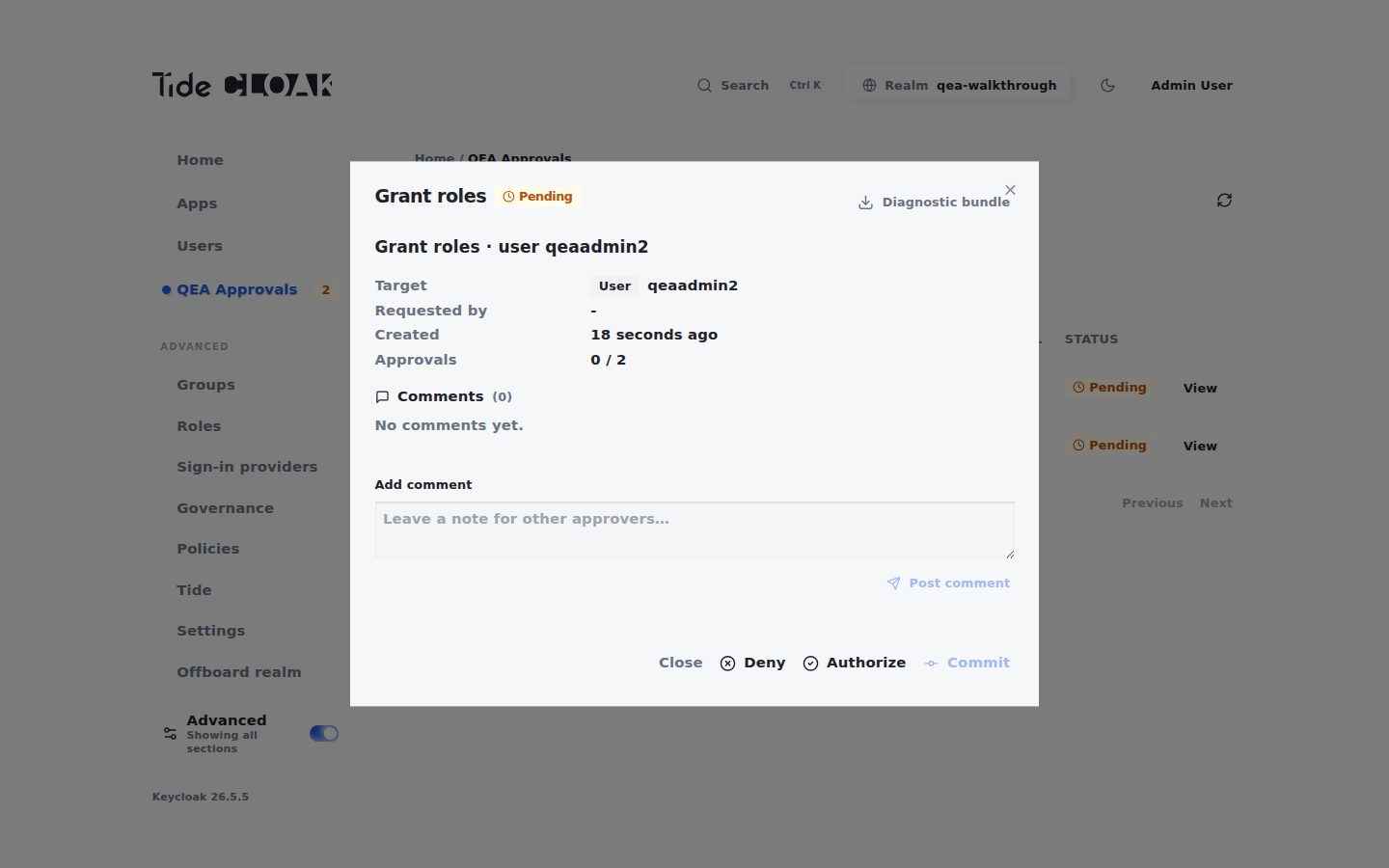
In the tide-console, the same action shows a toast and the new CR appears in the QEA Approvals inbox at 0 / 2, with its action type, the entity it affects, and the required approver role.
Step 2: Authorize to threshold
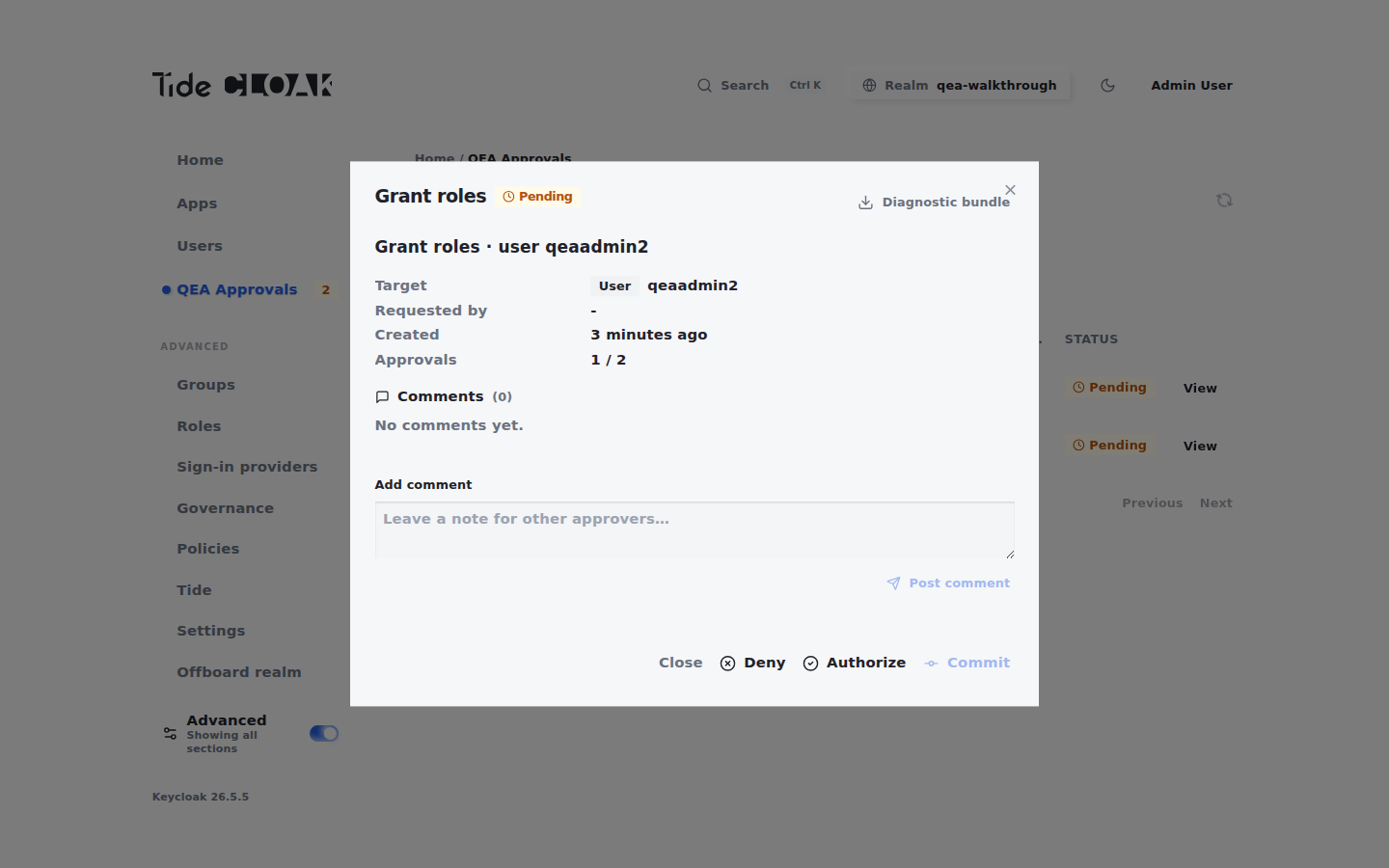
Each approver opens the CR in QEA Approvals and clicks Authorize, which calls the approve endpoint. One approval is recorded per admin; the count moves 0 / 2 then 1 / 2 then 2 / 2. The approval that reaches the threshold also commits the change.
As alice:
curl -s -X POST -H "Authorization: Bearer $TOKEN_ALICE" \-H "Content-Type: application/json" -d '{}' \"$KC/admin/realms/$REALM/iga/change-requests/$CR_ID/approve"
The response records the approval without committing: "committed": false, "authCount": 1, "threshold": 2.
As bob, approve the same CR to reach 2 / 2:
curl -s -X POST -H "Authorization: Bearer $TOKEN_BOB" \-H "Content-Type: application/json" -d '{}' \"$KC/admin/realms/$REALM/iga/change-requests/$CR_ID/approve"
This approval meets the threshold, so the change is committed in the same call: "committed": true and "status": "APPROVED".
Two things to expect at this step:
- An admin without
iga-approveris refused with 403 Forbidden (FORBIDDEN_APPROVER_ROLE). - The same admin approving a still-pending CR again gets 200 with
"committed": false; the second approval is not counted. Distinct admins are required. - Approving a CR that is no longer PENDING (already committed or denied) gets 409 Conflict.
- The older
authorizeendpoint records an approval but never commits, and returns 409 Conflict when the same admin authorizes twice. Preferapprove.
Step 3: Verify, or commit explicitly
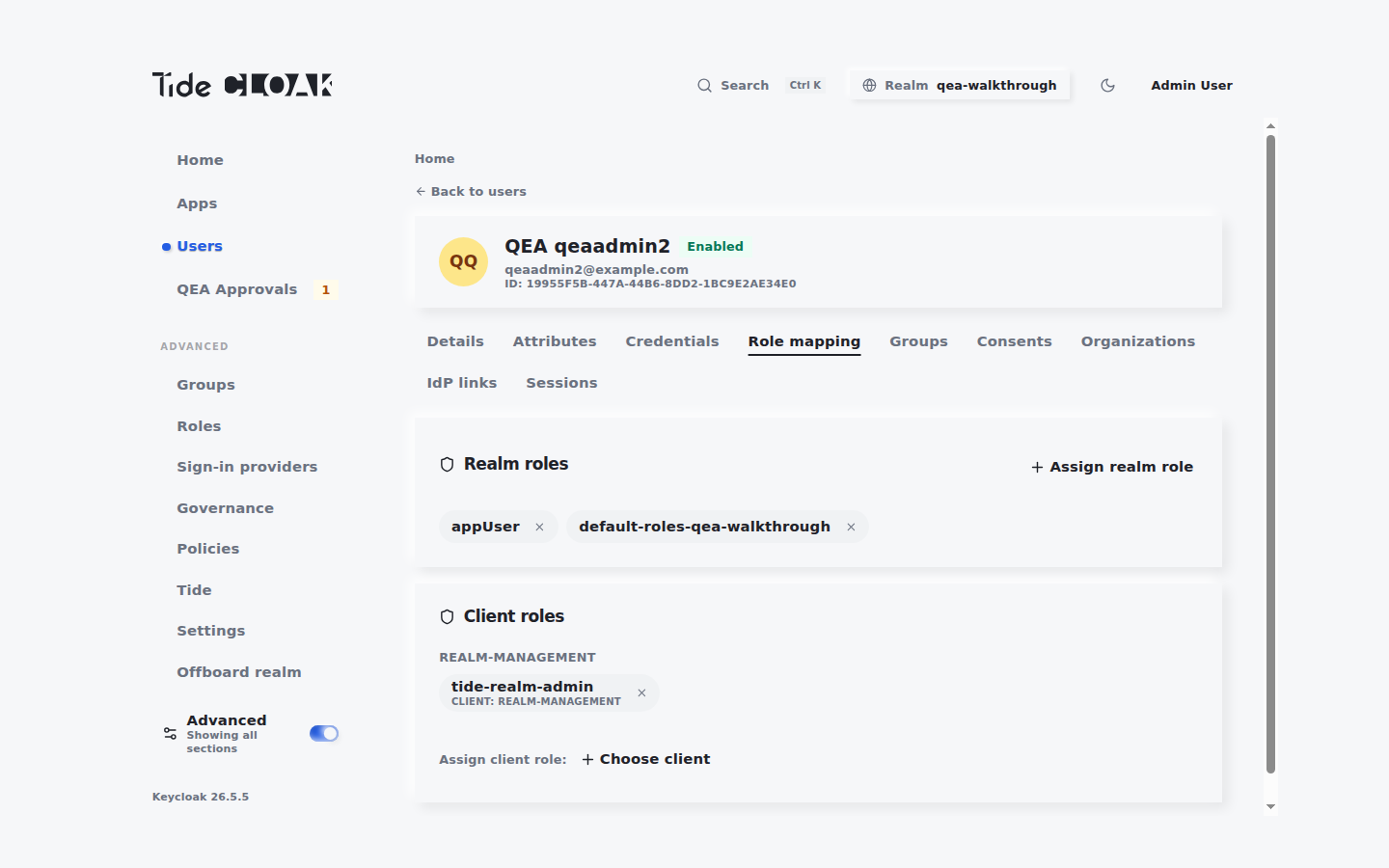
After bob's approval the change is already applied and the CR is APPROVED: the granted role shows up on the user.
If a CR reached the threshold without being committed (for example, it was authorized with the older authorize endpoint, or the automatic commit was refused because a request it depends on was still pending), commit it explicitly. The change is replayed for real and the CR flips to APPROVED.
curl -s -X POST -H "Authorization: Bearer $TOKEN_ALICE" \"$KC/admin/realms/$REALM/iga/change-requests/$CR_ID/commit"
In the tide-console, click Commit for the same result.
If commit fails:
- 412 Precondition Failed with
Need N more signature(s): still under threshold. Get another distinct approver-role admin to authorize. - 412 Precondition Failed with
DEPENDENCY_NOT_MET: the CR depends on another CR that is not committed yet. Commit that one first. - 403 Forbidden: the committing admin lacks the approver role.
- 409 Conflict: the CR is no longer PENDING (already committed or denied).
Next steps
- The Tide-provisioned (enclave) governance setup: Setting Up and Using Tide QEA.
- What QEA is and why changes go through it: Admin Overview.