Enabling Tide Backup and Offboarding
This guide shows you how to enable Tide backup on a realm and then offboard it: wind the realm down to a self-custodial, Tideless realm under local, centralized key management.
For what offboarding does and why a realm is backed by Tide in the first place, see the Admin Overview.
Backup and offboarding live in the tide-console under Advanced → Offboard realm.
Offboarding detaches the realm from Tide permanently and switches it to local key management. Make sure you have a non-Tide TideCloak admin password to log back in with (see below); without it you may lose access to the realm with no way to recover it.
Before you start
- You have admin access to the TideCloak tide-console with the Advanced toggle available.
- You have a Tide realm with the Tide IdP added and licensed.
- A TideCloak master password is set for a non-Tide admin who will inherit the realm. Unless changed, this is the account that set up TideCloak originally. You will use it to sign back in after offboarding.
- You can contact affected users. If an SMTP server is configured, TideCloak emails them automatically to set a password on their de-Tidified account; if not, you must email them manually.
1. Enable Tide backup
Backup is enabled by default when a Tide IdP is created. If it is off, turn it on:
- In the tide-console, turn on the Advanced toggle (bottom-left), then open Offboard realm.
- In the Backup card, enable backup.
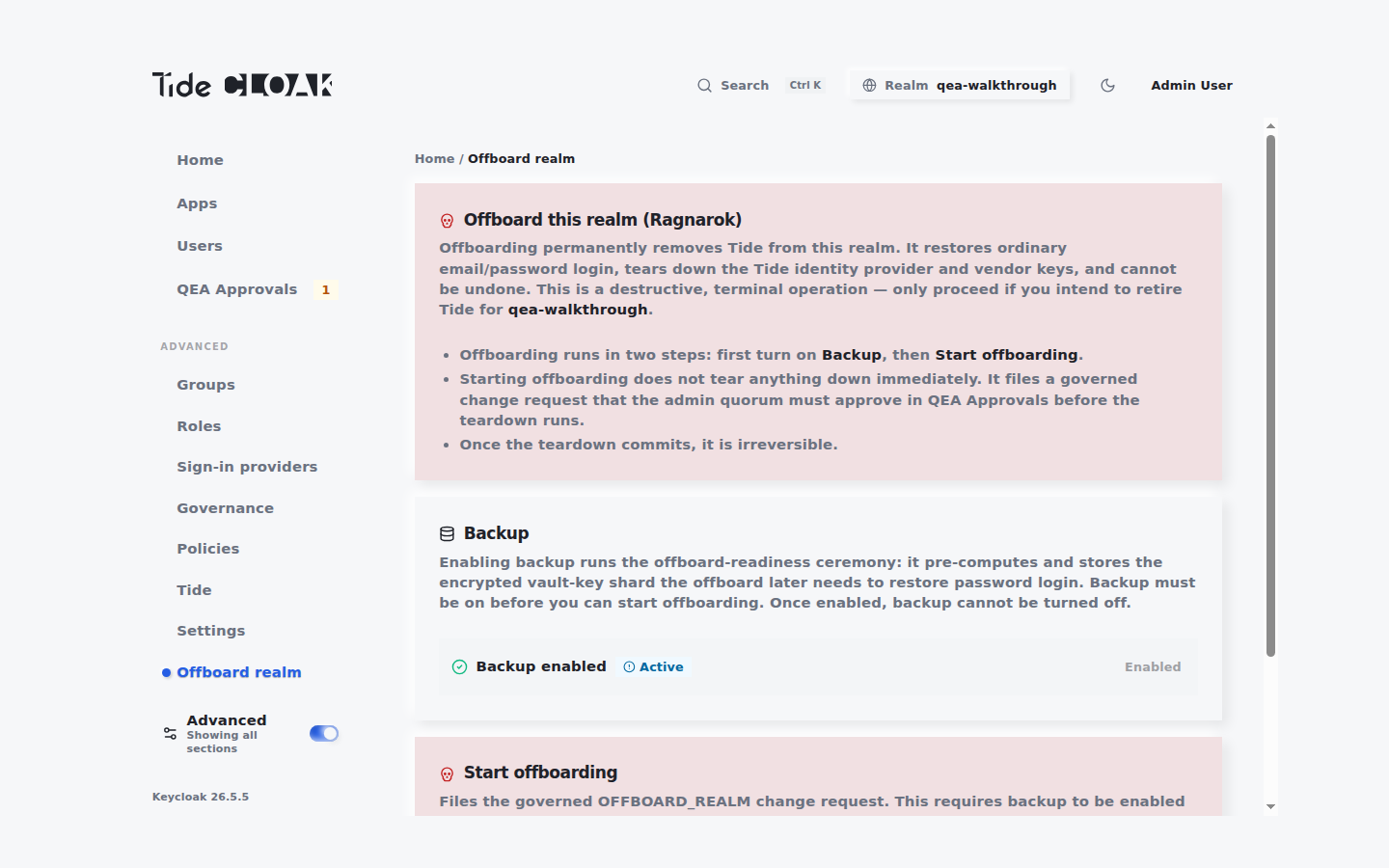
Backup must be on before you can start offboarding. Once enabled, it cannot be turned off.
2. Trigger offboarding
- Go to Advanced → Offboard realm.
- In the Start offboarding card, click Start offboarding.
- Confirm by typing the realm name, then click Start offboarding again.
This files a governed OFFBOARD_REALM change request. The teardown does not run until the admin quorum approves it.
3. Approve and commit the change request
Offboarding is approved through QEA Approvals. For the Authorize / Commit mechanics, see Set up QEA.
- Go to QEA Approvals and locate the offboarding request.
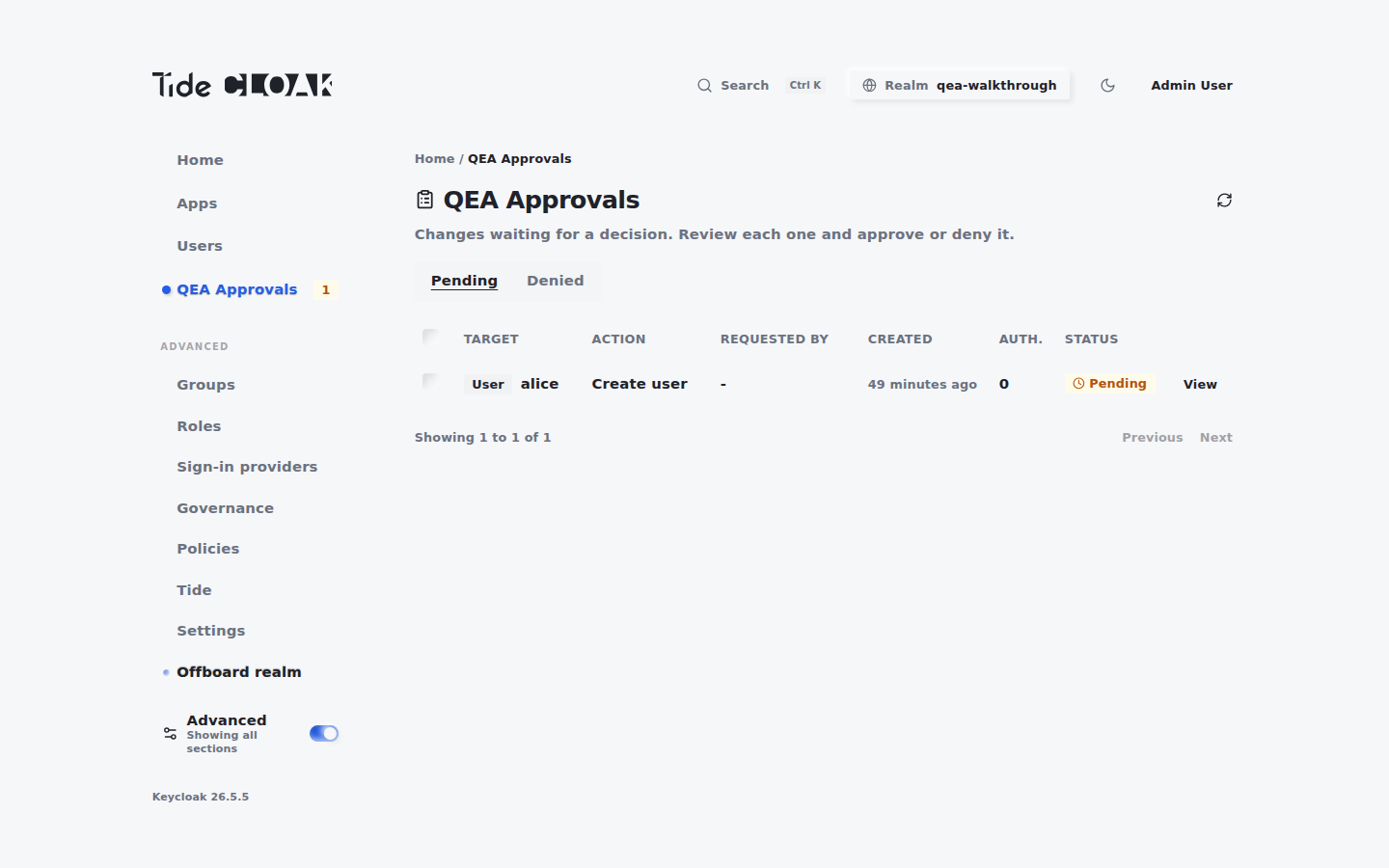
- Authorize the request. Offboarding requires a higher floor than ordinary changes: a minimum of 3 active
tide-realm-admins must approve. - Once enough approvals are collected, commit the request to run the teardown.
4. Sign back in
When the offboarding completes:
- The realm becomes self-custodial and Tideless: key operations switch to local, centralized mode and the Tide IdP is removed.
- A notification confirms the realm has been offboarded, and your current tide-console session is terminated.
- Sign out, then sign back in using your TideCloak master credentials.